
A sage studio background for sneakers
Use a muted color field to connect the background with a small accent on the shoe.
What this experiment shows
PackScena uses an AI-created product sample to test this background: A sage studio background for sneakers. This direction suits a collection tile or a social image where the shoe is still the main subject. Keep a neutral image beside it so buyers can judge the true color. The result is a scene experiment, not a customer photograph or proof of unchanged product details.
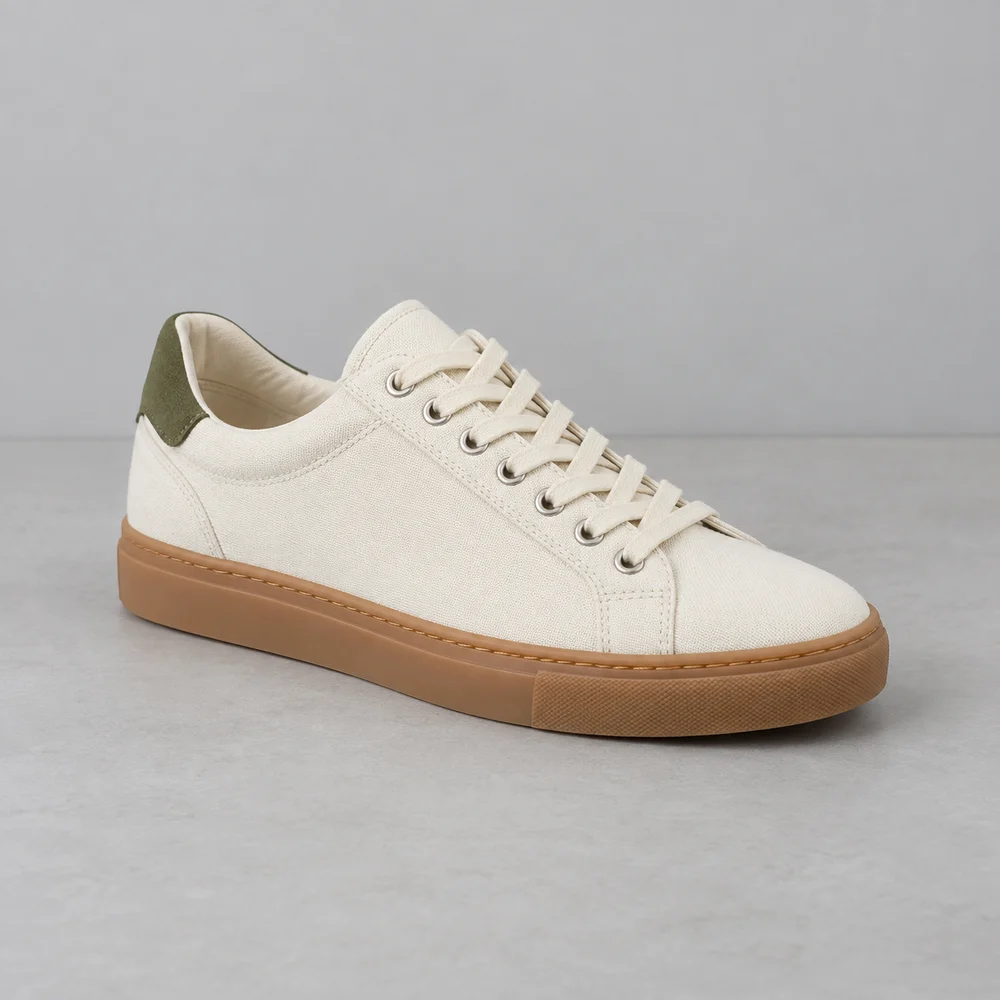
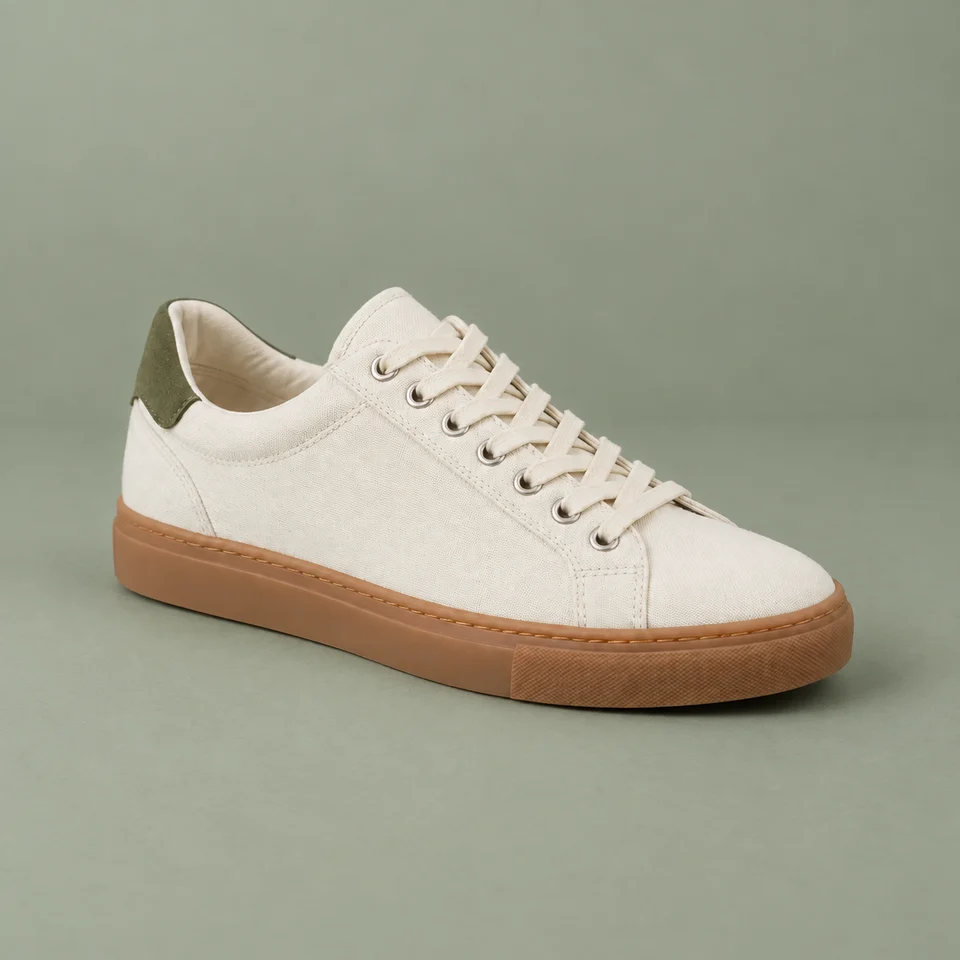
AI-created source, not a customer photograph. The background was generated for this scene experiment, not a customer order. Compare product details before using a similar workflow for your own goods.
The automated comparison flagged no issue. Still compare the source and full-size output before using this direction.
Automated review is fallible. It does not certify authenticity, label accuracy or platform compliance.
Who this is for
Shoe stores making a coordinated launch image.
Where to use this direction
This direction suits a collection tile or a social image where the shoe is still the main subject. Keep a neutral image beside it so buyers can judge the true color.
The background brief
A sage seamless backdrop echoes the olive heel patch. Ask for a matte surface and a gentle contact shadow, with no pedestal that changes the viewing angle.
The scene description used for this experiment
This is the scene input. Product-preservation instructions are also included. Reusing it does not guarantee the same result.
Muted sage green seamless studio backdrop and matching matte floor, soft broad upper-left light, subtle grounded contact shadow. No pedestal, props or extra shoes. Keep cream canvas neutral, preserve the original camera view and sole shape.What to inspect at full size
Check whether green light has tinted the cream canvas or laces. Compare the toe shape and the sole thickness rather than judging only the overall mood.
What this image does not establish
A matching background must not recolor the product. Do not request a different shoe position from a single source photo.
Questions about this example
Is this a real customer photo?
No. PackScena used its own AI-created design sample and generated a new background through its configured image workflow. The original and result are published together.
What should I check before using this scene?
Check whether green light has tinted the cream canvas or laces. Compare the toe shape and the sole thickness rather than judging only the overall mood.
Can I reproduce the same image with this prompt?
The scene description is provided, but generation also includes product-preservation instructions. Reusing the description does not guarantee the same output. Start with one clear product photo and compare the result at full size.
How we document and correct experiments
Try the direction with your product
Apply for an invitation, then upload a clear product photo and paste the scene description into scene A or B. Start with one item and review it before preparing a whole collection.
Apply for a trial