
A charcoal slate backdrop for a brown handbag
Separate a warm brown bag from a cool dark surface without losing the shoulder strap.
What this experiment shows
PackScena uses an AI-created product sample to test this background: A charcoal slate backdrop for a brown handbag. Use a darker scene as a supporting editorial view, not the only catalogue photo. Buyers still need a neutral exposure for judging leather color and condition. The result is a scene experiment, not a customer photograph or proof of unchanged product details.
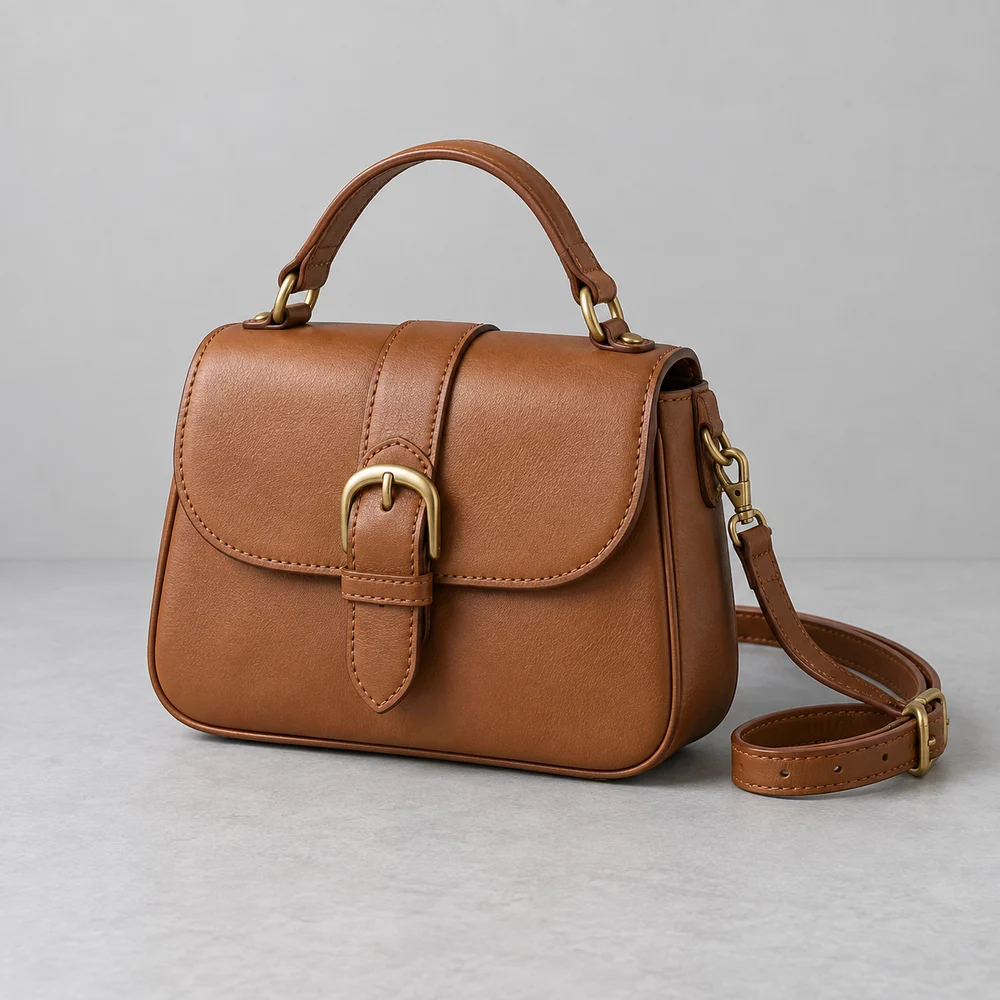
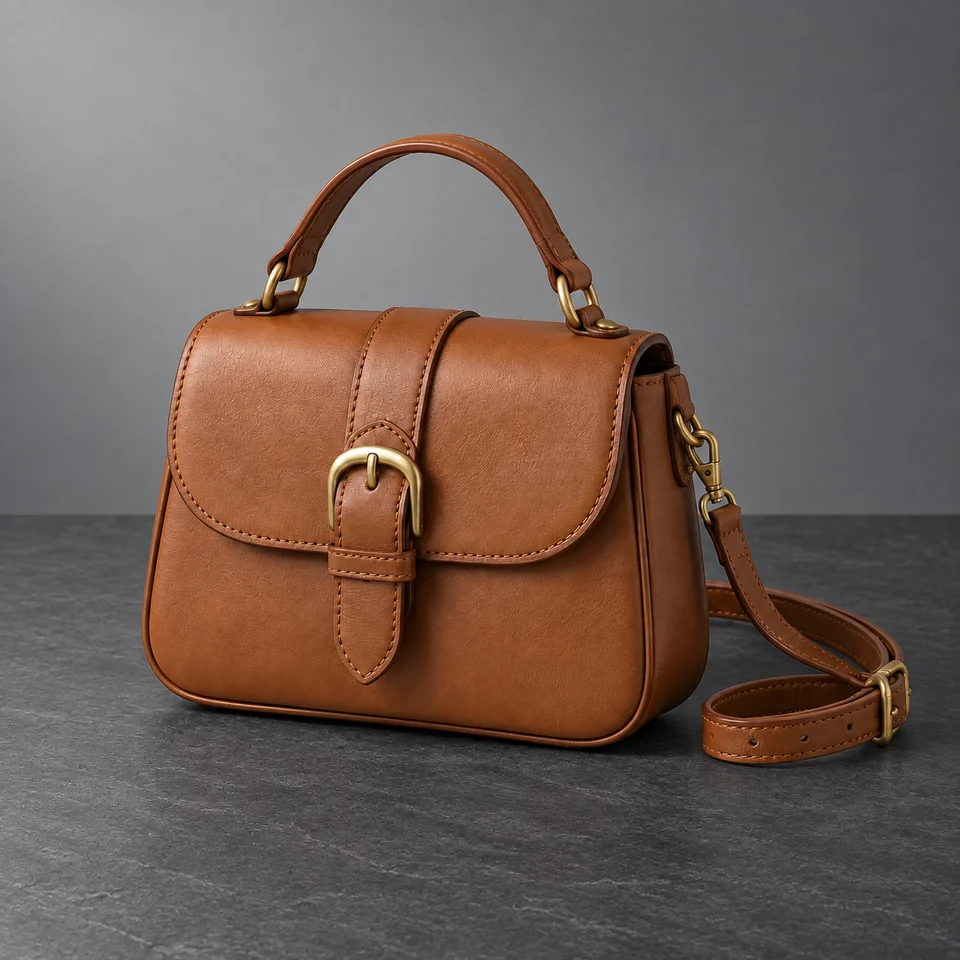
AI-created source, not a customer photograph. The background was generated for this scene experiment, not a customer order. Compare product details before using a similar workflow for your own goods.
The automated comparison flagged no issue. Still compare the source and full-size output before using this direction.
Automated review is fallible. It does not certify authenticity, label accuracy or platform compliance.
Who this is for
Accessory sellers making a restrained evening campaign image.
Where to use this direction
Use a darker scene as a supporting editorial view, not the only catalogue photo. Buyers still need a neutral exposure for judging leather color and condition.
The background brief
Charcoal slate and a softly graduated grey wall offer contrast to the warm bag. Keep enough fill light to reveal the curled strap and underside of the handle.
The scene description used for this experiment
This is the scene input. Product-preservation instructions are also included. Reusing it does not guarantee the same result.
Charcoal slate display surface and softly graduated cool grey studio wall. Gentle upper-left light with sufficient fill to show every strap and brass fitting. No dramatic rim light, added objects or text. Preserve the complete shoulder strap and brown bag color.What to inspect at full size
Inspect the strap against the dark floor. Check that the buckle, rings and clips have not merged into the background or changed shape.
What this image does not establish
Do not add a strong rim light that invents a new product edge. Deep shadows should never conceal missing hardware.
Questions about this example
Is this a real customer photo?
No. PackScena used its own AI-created design sample and generated a new background through its configured image workflow. The original and result are published together.
What should I check before using this scene?
Inspect the strap against the dark floor. Check that the buckle, rings and clips have not merged into the background or changed shape.
Can I reproduce the same image with this prompt?
The scene description is provided, but generation also includes product-preservation instructions. Reusing the description does not guarantee the same output. Start with one clear product photo and compare the result at full size.
How we document and correct experiments
Try the direction with your product
Apply for an invitation, then upload a clear product photo and paste the scene description into scene A or B. Start with one item and review it before preparing a whole collection.
Apply for a trial