
Product / Background ideas
Handbag product photography backgrounds: show the bag, straps and hardware.
Explore background ideas for a leather-look handbag using one source design and three actual AI outputs. Choose a setting, then check details that a small thumbnail can hide.
Apply to try your product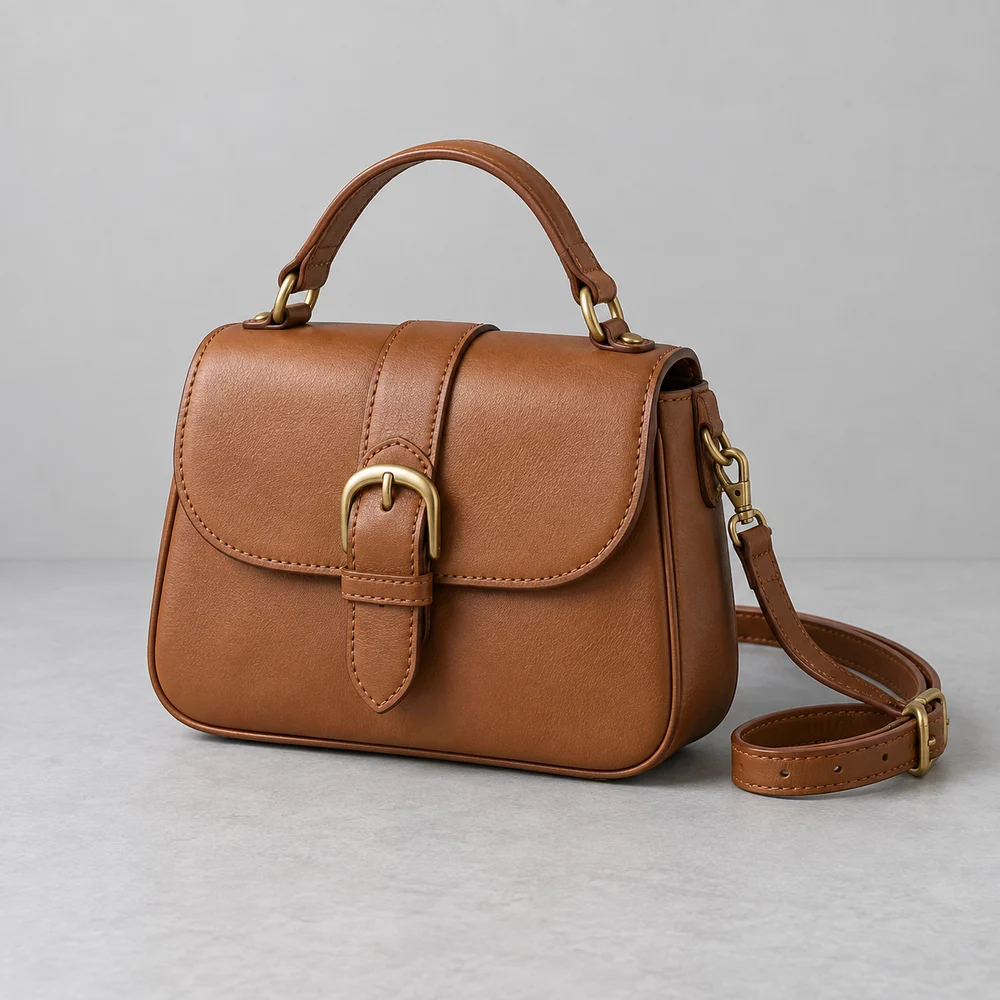
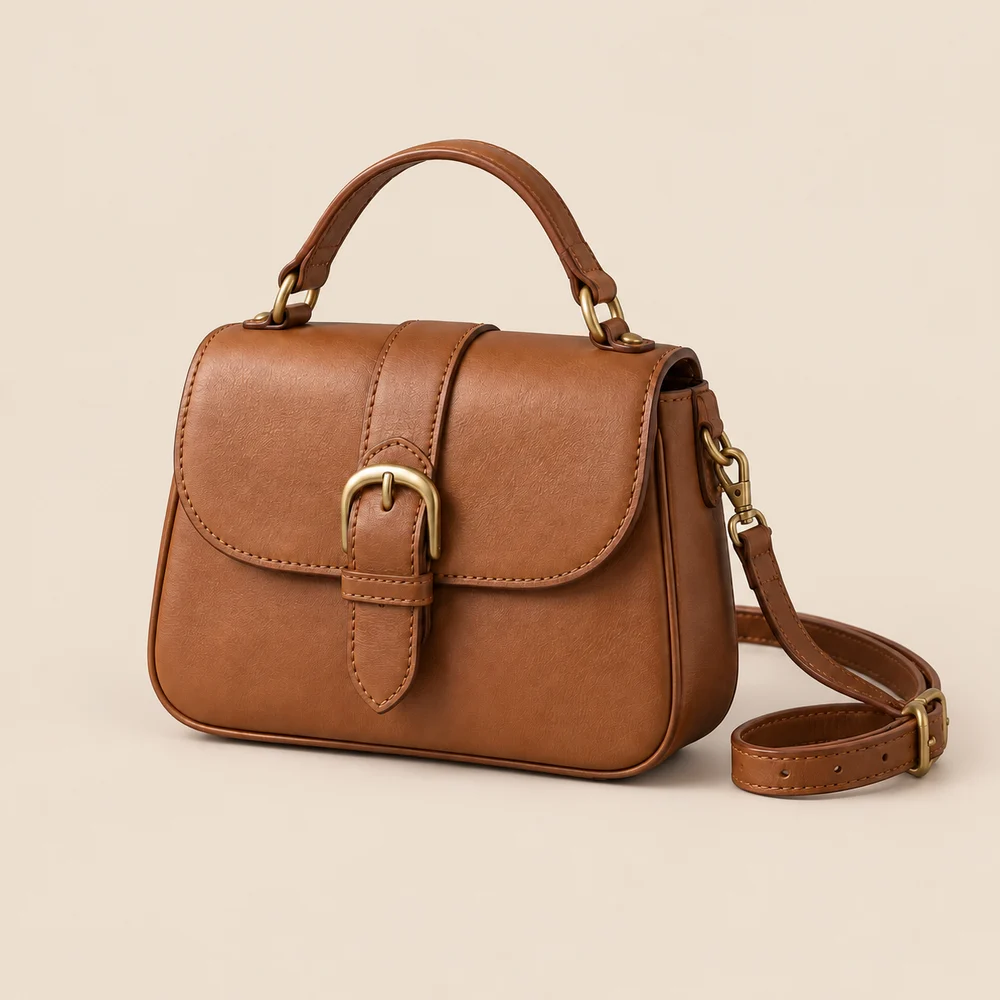
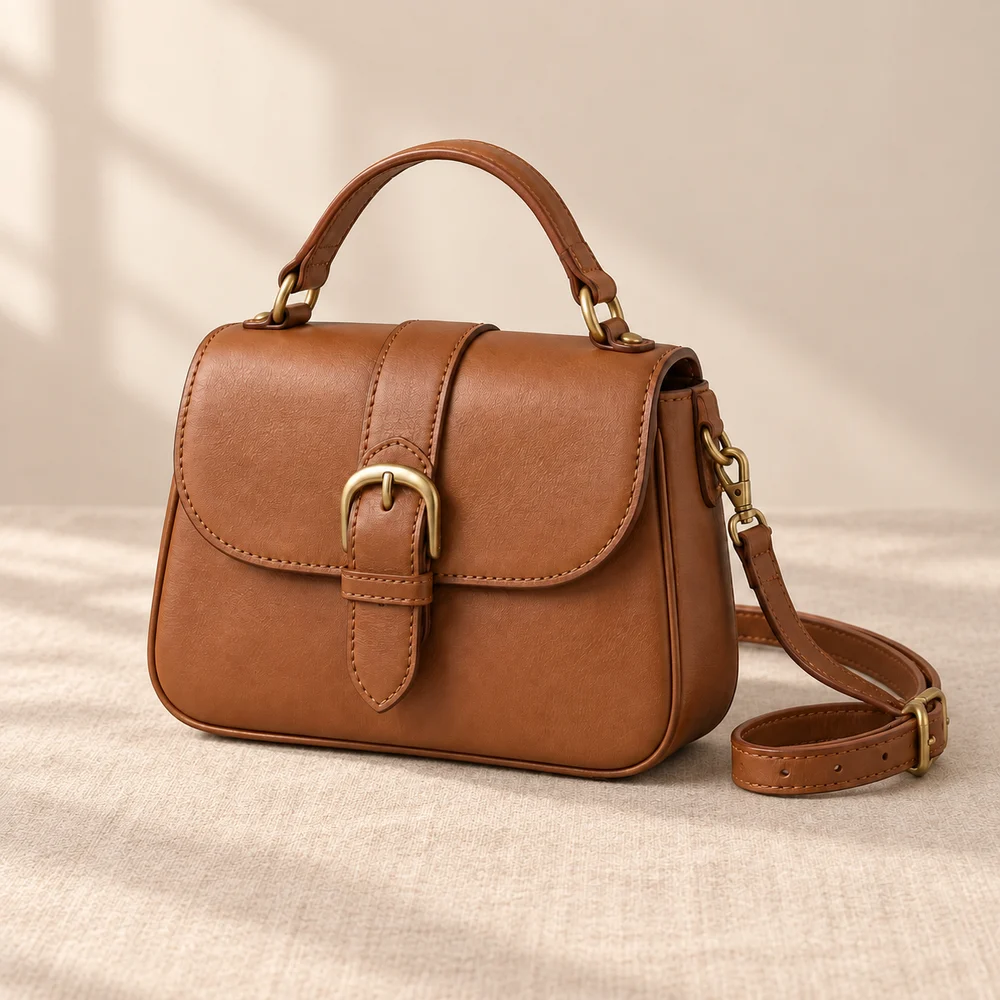
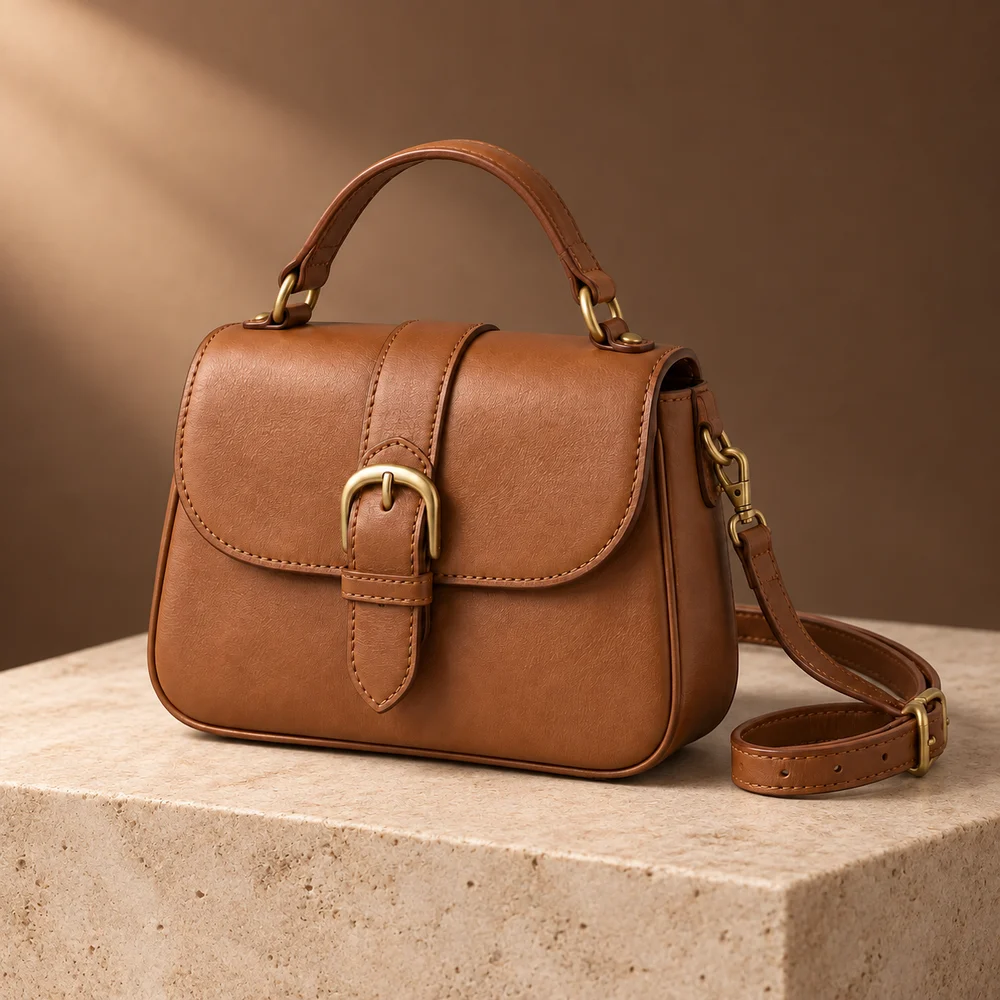
AI-created, unbranded source sample; actual image API outputs. Inspection status varies by sample; review the linked records. These are not customer results or proof that your packaging will be preserved. Open the inspection records
For independent bag sellers refreshing a collection image
A seller may need a calm catalogue image and a warmer campaign visual from the same photo. Start with a bag whose full handle and shoulder strap are visible. A new setting cannot reveal the interior or prove size, leather quality or carrying capacity; photograph those separately.
Three directions to try
Cream catalogue backdrop
Output 1 replaces the grey surroundings with a cream setting. The brown bag remains the focal point. This is a background comparison, not proof that every stitch is unchanged.
A soft textile setting
Output 2 places the bag on a warm fabric surface with soft background shadows. Inspect where the base meets the cloth: a convincing contact shadow matters more than adding decorative props.
A restrained campaign scene
Try a simple stone surface and indirect side light. Keep the curled shoulder strap inside the frame and avoid furniture or objects that could imply an inaccurate bag size.
A starting scene description
Copy and adapt this for scene A or B. Solid-background images use the background color control. This is a starting suggestion, not the exact prompt used for every sample above.
Warm neutral studio, matte stone display surface, soft indirect side light and a quiet plain backdrop. Show the complete top handle and shoulder strap. No hands, people, added bags, lettering or props covering the buckle. Do not change the bag color.
Check before you publish
- Trace the shoulder strap from end to end; check clips, loops and attachment points.
- Compare buckle shape, metal color and the number of visible fittings.
- Check stitching, flap edges and handle joins against the source at full size.
- Keep the original product photo if grain, seams or proportions change. A realistic scene is not evidence of authentic leather or brand identity.
Can AI turn one handbag photo into different product angles?
This example changes surroundings, not verified product viewpoints. It cannot establish what the back, lining or base looks like. Upload real photographs of those views instead of relying on invented construction details.
What the trial includes
An invitation workspace supports 1–3 products, three compositions per product and two PNG formats after review: 1200×1200 and 1200×1600. Resizing adds padding; it does not invent extra detail. Calls use your invitation allowance. Payments are not available.
How to prepare a product photo and describe its background · White-background checks
Inspect documented scene experiments
Compare source images, scene inputs and remaining differences. These experiments use AI-created source samples and are not customer results or white-background compliance tests.
- Handbag product photography with a linen backdrop — Compare buckle opening, handle joints, stitch lines and every visible strap section. Check the bag silhouette and leather grain at the same display size.
- A charcoal slate backdrop for a brown handbag — Inspect the strap against the dark floor. Check that the buckle, rings and clips have not merged into the background or changed shape.
- Handbag photography in an ivory alcove — Compare the handle opening with the source. Look for background edges crossing through the handle or hiding the side clips.