
Handbag photography in an ivory alcove
A distant architectural curve adds structure while the bag stays on a simple surface.
What this experiment shows
PackScena uses an AI-created product sample to test this background: Handbag photography in an ivory alcove. Use this direction when a plain backdrop feels flat but detailed lifestyle props distract from the bag. A background recess gives depth without implying a real shop or location. The result is a scene experiment, not a customer photograph or proof of unchanged product details.
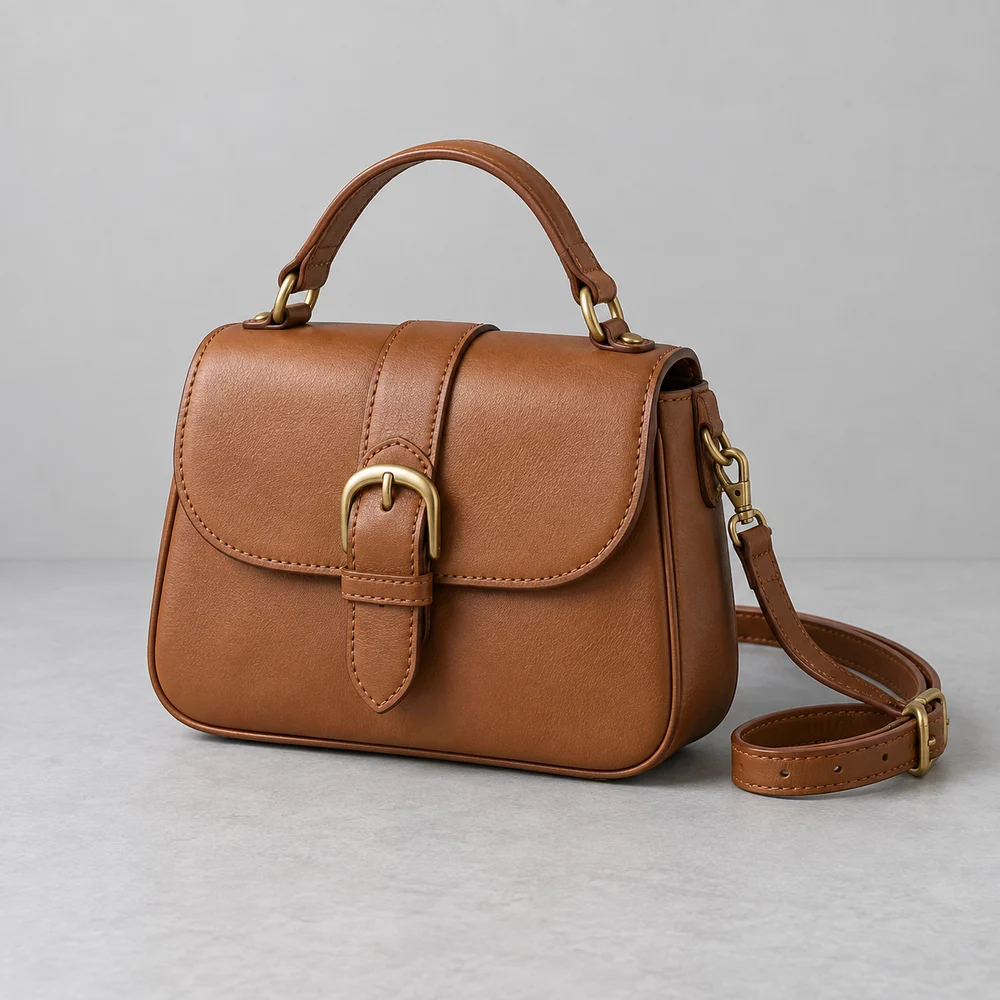
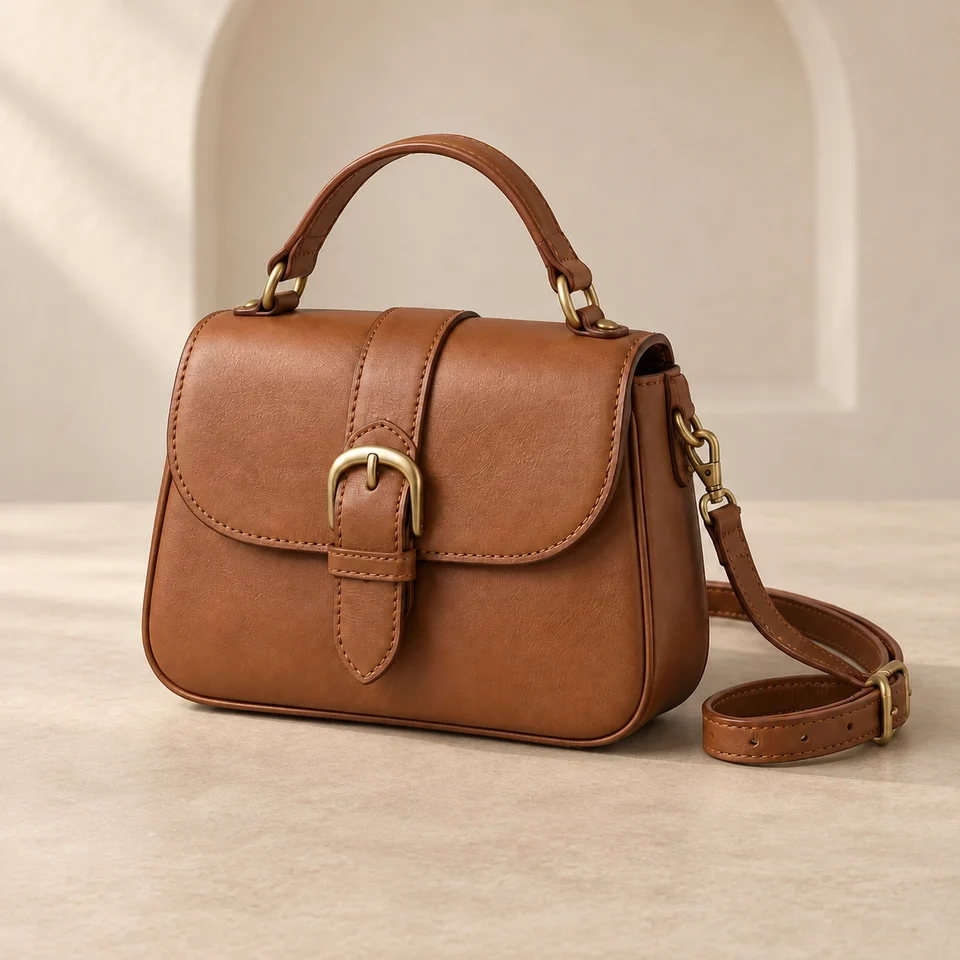
AI-created source, not a customer photograph. The background was generated for this scene experiment, not a customer order. Compare product details before using a similar workflow for your own goods.
The bag is not in the exact original position and scale: the result appears larger and extends farther right and lower than the original. The shoulder strap on the right has changed placement and curvature, with the lower loop and buckle shifted farther right. Some leather grain and stitching detail appear softened or regenerated compared with the original, especially on the front flap and handle. The architectural alcove sits visually close behind the handle area; its edge is near the handle opening and may not be fully clear as requested.
Automated review is fallible. It does not certify authenticity, label accuracy or platform compliance.
Who this is for
Independent bag brands building a calm collection page.
Where to use this direction
Use this direction when a plain backdrop feels flat but detailed lifestyle props distract from the bag. A background recess gives depth without implying a real shop or location.
The background brief
An ivory wall with a broad shallow alcove sits behind a matte beige counter. The curve belongs to the room, not to the product silhouette.
The scene description used for this experiment
This is the scene input. Product-preservation instructions are also included. Reusing it does not guarantee the same result.
Ivory plaster wall with a broad shallow architectural alcove far behind the product, matte beige counter, soft upper-left daylight. The bag stays in its exact original position. No props, no new bag parts, no text. Keep the alcove clear of the handle opening.What to inspect at full size
Compare the handle opening with the source. Look for background edges crossing through the handle or hiding the side clips.
What this image does not establish
Keep the ledge away from the bag edges. Do not imply the synthetic setting is a photographed showroom.
Questions about this example
Is this a real customer photo?
No. PackScena used its own AI-created design sample and generated a new background through its configured image workflow. The original and result are published together.
What should I check before using this scene?
Compare the handle opening with the source. Look for background edges crossing through the handle or hiding the side clips.
Can I reproduce the same image with this prompt?
The scene description is provided, but generation also includes product-preservation instructions. Reusing the description does not guarantee the same output. Start with one clear product photo and compare the result at full size.
How we document and correct experiments
Try the direction with your product
Apply for an invitation, then upload a clear product photo and paste the scene description into scene A or B. Start with one item and review it before preparing a whole collection.
Apply for a trial